As of today, travelling around Salerno is even easier: on eligible buses, you can buy a Urban SA Type D or a suburban ticket directly on board using a contactless card. Get on, tap the card on the validating machine and off you go.
As of today, travelling around Salerno is even easier: on eligible buses, you can buy a Urban SA Type D or a suburban ticket directly on board using a contactless card. Get on, tap the card on the validating machine and off you go.

QUICK AND EASY PURCHASES
Hold your payment card close to the device and wait for confirmation.

ALWAYS GOOD VALUE
Buy your ticket at the standard price.
PAY CONTACTLESS
ACCEPTED PAYMENT CIRCUITS
To access the Contactless purchasing mode, you must have a valid contactless debit/credit card (physical or virtual) from one of the circuits currently enabled: Mastercard, Visa, American Express, Bancomat, JCB and UPI.

TYPES OF TICKETS
The following tickets can be purchased using your contactless card:
- Single Journey U SA Type D ticket, valid for travel within Salerno and the surrounding municipalities (Baronissi, Cava de' Tirreni, Fisciano, Pellezzano, Pontecagnano Faiano, Vietri sul Mare).
- Single Suburban Journey ticket (fares vary depending on the route).
TICKET PURCHASE: “TAP IN” AND “TAP OUT”
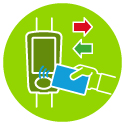
Hold your contactless card close to the centre of the validating machine, select “TAP IN” and complete the payment. Before disembarking, tap your card again and select “TAP OUT”.*
VALIDATION RESULT
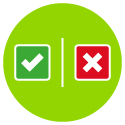
A successful transaction is indicated by the message “valid ticket” appearing on the screen, alongside a green symbol. In the event of a failed validation, the message “invalid ticket” will appear alongside a red symbol. In this case, you must purchase a ticket on board without delay.

1 CARD = 1 TICKET
You cannot purchase more than one ticket with a single card. If you are travelling in a group, one card must be used for each passenger.

VERIFYING YOUR TICKET
In the event of a ticket inspection, you must provide the Busitalia Campania staff with the last 4 digits of the payment card used for the transaction, or hold the payment card and/or compatible device close to the staff member’s smartphone. If you used a virtual card instead, communicate the virtual card number, which may be different from the number of the physical card associated with it.
CHANGING TO ANOTHER BUS
If you change transport mode, you must TAP your card again to purchase a new ticket.

VIEWING YOUR TAPS
By registering the card used on the portal online.unicocampania.it/, you can view every TAP made on board the buses in real time, and, subsequently, the tickets purchased and their price. Any amount due is charged according to the rules of your credit/debit card circuit.
*There is no need to TAP OUT for urban routes, as the system automatically charges the fare corresponding to an urban journey.
Fares effective from 06/04/2024
For matters not otherwise specified herein, the rules set out in Busitalia Campania’s Transport Conditions apply.